
Affiliate disclosure: This post contains affiliate links. If you buy through them I earn a commission at no extra cost to you. As an Amazon Associate I earn from qualifying purchases.
Learn how to apply enterprise-grade backup and disaster recovery practices to secure your homelab and protect critical data from unexpected failures.
On this page
- Why Backup and Disaster Recovery Matter for Homelabs
- Troubleshooting Common Issues
- Enterprise Practices: Scaling Down for Home Use
- Troubleshooting Common Issues
- Choosing the Right Backup Tools and Storage Solutions
- Troubleshooting Common Issues
- Automating Backup and Recovery Processes
- Troubleshooting Common Issues
- Security Best Practices for Backup Systems
- Troubleshooting Common Issues
- Testing Your Disaster Recovery Plan
- Troubleshooting Common Issues
- Quick Summary
- 📚 Related Articles
- Get Weekly Security & DevOps Insights
- Frequently Asked Questions
- What is Backup & Recovery: Enterprise Security for Homelabs about?
- Who should read this article about Backup & Recovery: Enterprise Security for Homelabs?
- What are the key takeaways from Backup & Recovery: Enterprise Security for Homelabs?
- Related Reading
- References
Why Backup and Disaster Recovery Matter for Homelabs#
Homelab data is still vulnerable to disk failure, accidental deletion, ransomware, and configuration loss. Treat recovery as a tested system rather than an assumption.
Homelabs are often treated as playgrounds for experimentation, but they frequently house critical data—whether it’s family photos, important documents, or the infrastructure powering your self-hosted services. The risks of data loss are very real. Hardware failures, ransomware attacks, accidental deletions, or even natural disasters can leave you scrambling to recover what you’ve lost.
Disaster recovery isn’t just about backups; it’s about ensuring continuity. A solid disaster recovery plan minimizes downtime, preserves data integrity, and gives you peace of mind. If you’re like me, you’ve probably spent hours perfecting your homelab setup. Why risk losing it all when enterprise-grade practices can be scaled down for home use?
Another critical reason to prioritize backups is the increasing prevalence of ransomware attacks. Even for homelab users, ransomware can encrypt your data and demand payment for decryption keys. Without proper backups, you may find yourself at the mercy of attackers. Also, consider the time and effort you’ve invested in configuring your homelab. Losing that work due to a failure or oversight can be devastating, especially if you rely on your setup for learning, development, or even hosting services for family and friends.
Think of backups as an insurance policy. You hope you’ll never need them, but when disaster strikes, they’re invaluable. Whether it’s a failed hard drive, a corrupted database, or an accidental deletion, having a reliable backup can mean the difference between a minor inconvenience and a catastrophic loss.
Troubleshooting Common Issues#
One common issue is underestimating the time required to restore data. If your backups are stored on slow media or in the cloud, recovery could take hours or even days. Test your recovery process to ensure it meets your needs. Another issue is incomplete backups—always verify that all critical data is included in your backup plan.
Enterprise Practices: Scaling Down for Home Use#
In the enterprise world, backup strategies are built around the 3-2-1 rule: three copies of your data, stored on two different media, with one copy offsite. This ensures redundancy and protects against localized failures. Immutable backups—snapshots that cannot be altered—are another key practice, especially in combating ransomware.
For homelabs, these practices can be adapted without breaking the bank. Here’s how:
- Three copies: Keep your primary data on your main storage, a secondary copy on a local backup device (like an external drive or NAS), and a third copy offsite (cloud storage or a remote server).
- Two media types: Use a combination of SSDs, HDDs, or tape drives for local backups, and cloud storage for offsite redundancy.
- Immutable backups: Many backup tools now support immutable snapshots. Enable this feature to protect against accidental or malicious changes.
Let’s break this down further. For local backups, a simple USB external drive can suffice for smaller setups. However, if you’re running a larger homelab with multiple virtual machines or containers, consider investing in a NAS (Network Attached Storage) device. NAS devices often support RAID configurations, which provide redundancy in case of disk failure.
For offsite backups, cloud storage services like Backblaze, Wasabi, or even Google Drive are excellent options. These services are relatively inexpensive and provide the added benefit of geographic redundancy. If you’re concerned about privacy, ensure your data is encrypted before uploading it to the cloud.
# Generic immutable-backup example
borg init --encryption=repokey-blake2 /path/to/repository
borg create --immutable /path/to/repository::backup-$(date +%Y-%m-%d) /path/to/dataTroubleshooting Common Issues#
One challenge with offsite backups is bandwidth. Uploading large datasets can take days on a slow internet connection. To mitigate this, prioritize critical data and upload it first. You can also use tools like rsync or rclone to perform incremental backups, which only upload changes.
Choosing the Right Backup Tools and Storage Solutions#
When it comes to backup software, the options can be overwhelming. For homelabs, simplicity and reliability should be your top priorities. Here’s a quick comparison of popular tools:
- Veeam: Enterprise-grade backup software with a free version for personal use. Great for virtual machines and complex setups.
- Borg: A lightweight, open-source backup tool with excellent deduplication and encryption features.
- Restic: Another open-source option, known for its simplicity and support for multiple storage backends.
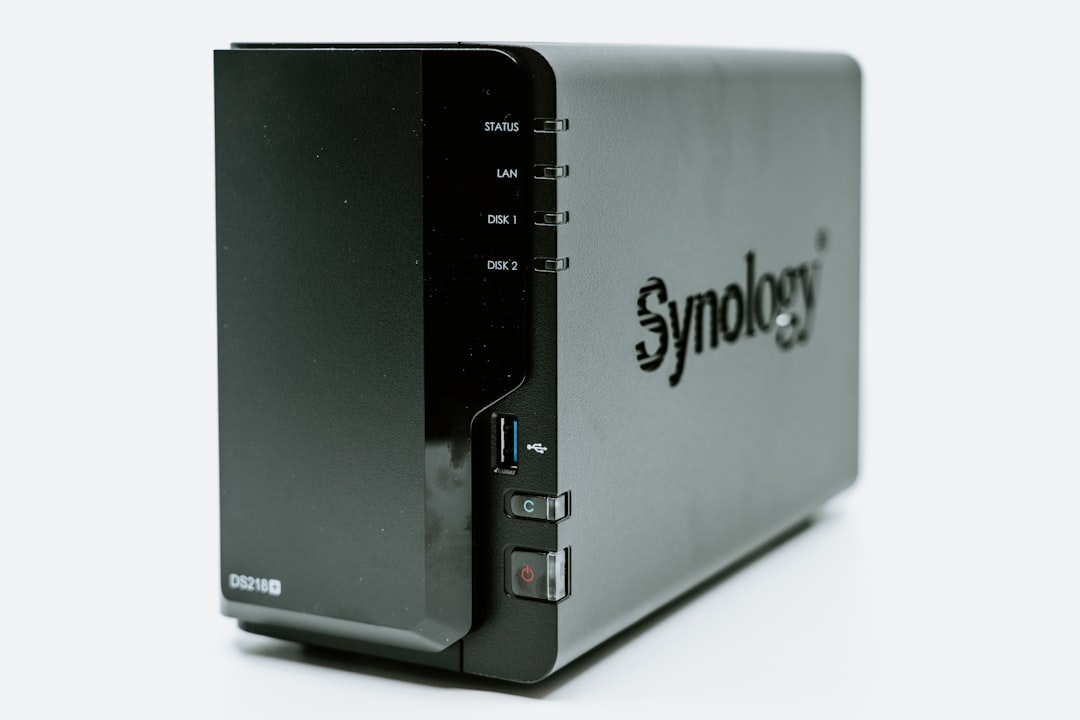
As for storage solutions, you’ll want to balance capacity, speed, and cost. NAS devices like Synology or QNAP are popular for homelabs, offering RAID configurations and easy integration with backup software. External drives are a budget-friendly option but lack redundancy. Cloud storage, while recurring in cost, provides unmatched offsite protection.
For those with more advanced needs, consider setting up a dedicated backup server. Tools like Proxmox Backup Server or TrueNAS can turn an old PC into a powerful backup appliance. These solutions often include features like deduplication, compression, and snapshot management, making them ideal for homelab enthusiasts.
# Example: Setting up Restic with Google Drive
export RESTIC_REPOSITORY=rclone:remote:backup
export RESTIC_PASSWORD=[REDACTED]
restic init
restic backup /path/to/data
Troubleshooting Common Issues#
One common issue is compatibility between backup tools and storage solutions. For example, some tools may not natively support certain cloud providers. In such cases, using a middleware like rclone can bridge the gap. Also, always test your backups to ensure they’re restorable. A corrupted backup is as bad as no backup at all.
Automating Backup and Recovery Processes#
Manual backups are a recipe for disaster. Trust me, you’ll forget to run them when life gets busy. Automation ensures consistency and reduces the risk of human error. Most backup tools allow you to schedule recurring backups, so set it and forget it.
Here’s an example of automating backups with Restic:
# Initialize a Restic repository
restic init --repo /path/to/backup --password-file /path/to/password

# Automate daily backups using cron
0 2 * * * restic backup /path/to/data --repo /path/to/backup --password-file /path/to/password --verbose
Testing recovery is just as important as creating backups. Simulate failure scenarios to ensure your disaster recovery plan works as expected. Restore a backup to a separate environment and verify its integrity. If you can’t recover your data reliably, your backups are useless.
Another aspect of automation is monitoring. Tools like Zabbix or Grafana can be configured to alert you if a backup fails. This proactive approach ensures you’re aware of issues before they become critical.
Troubleshooting Common Issues#
One common pitfall is failing to account for changes in your environment. If you add new directories or services to your homelab, update your backup scripts accordingly. Another issue is storage exhaustion—automated backups can quickly fill up your storage if old backups aren’t pruned. Use retention policies to manage this.
Security Best Practices for Backup Systems#
Backups are only as secure as the systems protecting them. Neglecting security can turn your backups into a liability. Here’s how to keep them safe:
- Encryption: Always encrypt your backups, both at rest and in transit. Tools like Restic and Borg have built-in encryption features.
- Access control: Limit access to your backup systems. Use strong authentication methods, such as SSH keys or multi-factor authentication.
- Network isolation: If possible, isolate your backup systems from the rest of your network to reduce attack surfaces.
Also, monitor your backup systems for unauthorized access or anomalies. Logging and alerting can help you catch issues before they escalate.
Another important consideration is physical security. If you’re using external drives or a NAS, ensure they’re stored in a safe location. For cloud backups, verify that your provider complies with security standards and offers resilient access controls.
Troubleshooting Common Issues#
One common issue is losing encryption keys or passwords. Without them, your backups are effectively useless. Store keys securely, such as in a password manager. Another issue is misconfigured access controls, which can expose your backups to unauthorized users. Regularly audit permissions to ensure they’re correct.
Testing Your Disaster Recovery Plan#
Creating backups is only half the battle. If you don’t test your disaster recovery plan, you won’t know if it works until it’s too late. Regular testing ensures that your backups are functional and that you can recover your data quickly and efficiently.
Start by identifying the critical systems and data you need to recover. Then, simulate a failure scenario. For example, if you’re backing up a virtual machine, try restoring it to a new host. If you’re backing up files, restore them to a different directory and verify their integrity.
Document the time it takes to complete the recovery process. This information is critical for setting realistic expectations and identifying bottlenecks. If recovery takes too long, consider optimizing your backup strategy or investing in faster storage solutions.
Troubleshooting Common Issues#
One common issue is discovering that your backups are incomplete or corrupted. To prevent this, regularly verify your backups using tools like Restic’s `check` command. Another issue is failing to account for dependencies. For example, restoring a database backup without its associated application files may render it unusable. Always test your recovery process end-to-end.
Tools and books mentioned in (or relevant to) this article:
- WD Red Plus 8TB NAS HDD — CMR drive designed for 24/7 NAS operation with RAID support ($140-180)
- APC UPS 1500VA — Battery backup to protect your homelab from power outages ($170-200)
- Beelink EQR6 Mini PC (Ryzen 7 6800U) — Compact powerhouse for Proxmox or TrueNAS virtualization ($350-500)
- Critical 64GB DDR4 ECC SODIMM Kit — ECC RAM for data integrity in your NAS or hypervisor ($150-200)
Quick Summary#
- Follow the 3-2-1 rule for redundancy and offsite protection.
- Choose backup tools and storage solutions that fit your homelab’s needs and budget.
- Automate backups and test recovery scenarios regularly.
- Encrypt backups and secure access to your backup systems.
- Document your disaster recovery plan for quick action during emergencies.
- Regularly test your disaster recovery plan to ensure it works as expected.
Have a homelab backup horror story or a tip to share? I’d love to hear it—drop a comment or reach out on Twitter. Next week, we’ll explore how to secure your NAS against ransomware attacks. Stay tuned!
📚 Related Articles#
Get Weekly Security & DevOps Insights#
Join 500+ engineers getting actionable tutorials on Kubernetes security, homelab builds, and trading automation. No spam, unsubscribe anytime.
Delivered every Tuesday. Read by engineers at Google, AWS, and startups.
Frequently Asked Questions#
What is Backup & Recovery: Enterprise Security for Homelabs about?#
Learn how to apply enterprise-grade backup and disaster recovery practices to secure your homelab and protect critical data from unexpected failures. Why Backup and Disaster Recovery Matter for Homela
Who should read this article about Backup & Recovery: Enterprise Security for Homelabs?#
Anyone interested in learning about Backup & Recovery: Enterprise Security for Homelabs and related topics will find this article useful.
What are the key takeaways from Backup & Recovery: Enterprise Security for Homelabs?#
After all, it’s just a personal setup, right? That mindset lasted until the day my RAID array failed spectacularly, taking years of configuration files, virtual machine snapshots, and personal project
Related Reading#
A solid backup strategy is only one layer of homelab resilience. Make sure your hardware survives long enough to back up in the first place — read our guide on UPS battery backup sizing and NUT automatic shutdown on TrueNAS. And if you want to detect threats before they touch your backups, check out setting up Wazuh and Suricata for enterprise-grade intrusion detection at home.
References#
- NIST — “Guide to Data Backup and Recovery”
- OWASP — “OWASP Top Ten Risks Related to Backup and Recovery”
- GitHub — “Restic: Fast, secure, and efficient backup program”
- Kubernetes — “Backup and Restore of Kubernetes Clusters”
- Docker — “Backing Up and Restoring Docker Volumes”