Learn how to apply enterprise-grade backup and disaster recovery practices to secure your homelab and protect critical data from unexpected failures.
Why Backup and Disaster Recovery Matter for Homelabs
I’ll admit it: I used to think backups were overkill for homelabs. After all, it’s just a personal setup, right? That mindset lasted until the day my RAID array failed spectacularly, taking years of configuration files, virtual machine snapshots, and personal projects with it. It was a painful lesson in how fragile even the most carefully built systems can be.
Homelabs are often treated as playgrounds for experimentation, but they frequently house critical data—whether it’s family photos, important documents, or the infrastructure powering your self-hosted services. The risks of data loss are very real. Hardware failures, ransomware attacks, accidental deletions, or even natural disasters can leave you scrambling to recover what you’ve lost.
Disaster recovery isn’t just about backups; it’s about ensuring continuity. A solid disaster recovery plan minimizes downtime, preserves data integrity, and gives you peace of mind. If you’re like me, you’ve probably spent hours perfecting your homelab setup. Why risk losing it all when enterprise-grade practices can be scaled down for home use?
Another critical reason to prioritize backups is the increasing prevalence of ransomware attacks. Even for homelab users, ransomware can encrypt your data and demand payment for decryption keys. Without proper backups, you may find yourself at the mercy of attackers. Additionally, consider the time and effort you’ve invested in configuring your homelab. Losing that work due to a failure or oversight can be devastating, especially if you rely on your setup for learning, development, or even hosting services for family and friends.
Think of backups as an insurance policy. You hope you’ll never need them, but when disaster strikes, they’re invaluable. Whether it’s a failed hard drive, a corrupted database, or an accidental deletion, having a reliable backup can mean the difference between a minor inconvenience and a catastrophic loss.
Troubleshooting Common Issues
One common issue is underestimating the time required to restore data. If your backups are stored on slow media or in the cloud, recovery could take hours or even days. Test your recovery process to ensure it meets your needs. Another issue is incomplete backups—always verify that all critical data is included in your backup plan.
Enterprise Practices: Scaling Down for Home Use
In the enterprise world, backup strategies are built around the 3-2-1 rule: three copies of your data, stored on two different media, with one copy offsite. This ensures redundancy and protects against localized failures. Immutable backups—snapshots that cannot be altered—are another key practice, especially in combating ransomware.
For homelabs, these practices can be adapted without breaking the bank. Here’s how:
- Three copies: Keep your primary data on your main storage, a secondary copy on a local backup device (like an external drive or NAS), and a third copy offsite (cloud storage or a remote server).
- Two media types: Use a combination of SSDs, HDDs, or tape drives for local backups, and cloud storage for offsite redundancy.
- Immutable backups: Many backup tools now support immutable snapshots. Enable this feature to protect against accidental or malicious changes.
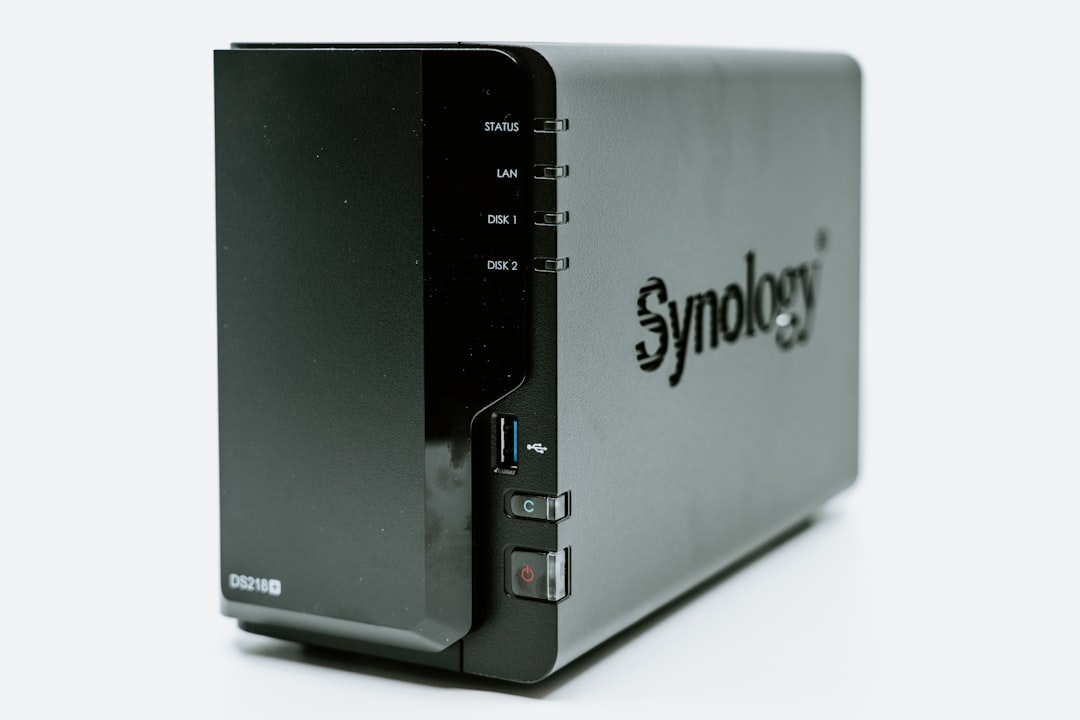
Let’s break this down further. For local backups, a simple USB external drive can suffice for smaller setups. However, if you’re running a larger homelab with multiple virtual machines or containers, consider investing in a NAS (Network Attached Storage) device. NAS devices often support RAID configurations, which provide redundancy in case of disk failure.
For offsite backups, cloud storage services like Backblaze, Wasabi, or even Google Drive are excellent options. These services are relatively inexpensive and provide the added benefit of geographic redundancy. If you’re concerned about privacy, ensure your data is encrypted before uploading it to the cloud.
# Example: Creating immutable backups with Borg borg init --encryption=repokey-blake2 /path/to/repo borg create --immutable /path/to/repo::backup-$(date +%Y-%m-%d) /path/to/data💡 Pro Tip: Use cloud storage providers that offer free egress for backups. This can save you significant costs if you ever need to restore large amounts of data.Troubleshooting Common Issues
One challenge with offsite backups is bandwidth. Uploading large datasets can take days on a slow internet connection. To mitigate this, prioritize critical data and upload it first. You can also use tools like rsync or rclone to perform incremental backups, which only upload changes.
Choosing the Right Backup Tools and Storage Solutions
When it comes to backup software, the options can be overwhelming. For homelabs, simplicity and reliability should be your top priorities. Here’s a quick comparison of popular tools:
📚 Continue Reading
Sign in with your Google or Facebook account to read the full article.
It takes just 2 seconds!Already have an account? Log in here
Leave a Reply